Frequently asked questions
Start with the question on your mind.
Learn how Maelorei fits into family life, what stays on your device, and where to go when you need help.
FAQ
Getting started
The basics of Journeys, Quests, Quest Packs, and Maelorei companions.
What is Maelorei?
Maelorei is an iPhone and iPad app that helps children practice everyday skills through family-shaped Journeys and clear, picture-supported Quests.
What is a Journey?
A Journey brings together a small group of Quests for one part of the day, such as morning, after school, evening, or bedtime.
What is a Quest?
A Quest is one clear everyday action or skill a child can practice, such as getting dressed, packing a backpack, or helping care for a shared space.
What are Quest Packs?
Quest Packs are optional downloads with themed Quests and ready-made Journey choices for sports, home skills, pet care, self-care, music, libraries, outings, and more. Nothing is added to a child's Journey until a parent chooses it.
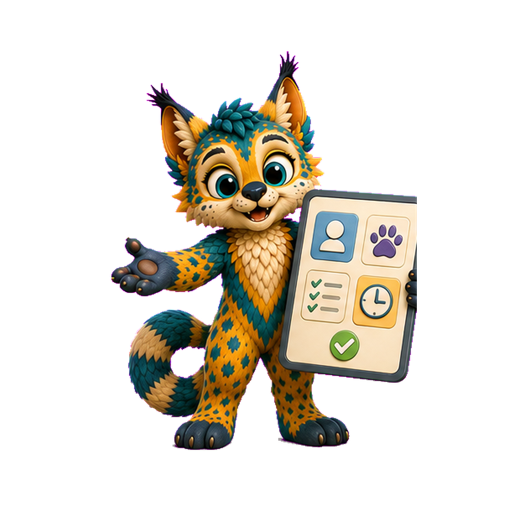
What is a Maelorei?
A Maelorei is a warm companion who models everyday skills, helps a child notice the next step, and celebrates effort without judgment or pressure.
Why don't the Maelorei in a Quest look like my child's chosen buddy?
Your child's chosen Maelorei is their familiar companion. Maelorei help together, so different companions can appear in Quests to model and encourage each step.
FAQ
Using Maelorei as a family
How parents shape the experience and children use it day to day.
What do parents manage in Maelorei?
Parents create and maintain Journeys, choose optional rewards, and make changes when routines change. Kids use the Journey day to day.
Can a family change a Journey later?
Yes. A parent can add, remove, reorder, or update Quests as the family's rhythm changes.
Are rewards required?
No. Rewards are optional and parent-managed. Medallions are a playful record of progress, never payment for care, food, water, affection, or belonging.
Can Maelorei work with a family calendar?
Yes. With Maelorei Family, a parent can optionally connect one family calendar on one parent device. Parents review calendar events and decide whether to use them as Journeys.
FAQ
Privacy and data
Accounts, device storage, location, and website privacy choices.
Does Maelorei require an account?
No. Families can use Maelorei without creating a Maelorei account, and Journeys work without an internet connection.
How does local weather work?
A parent may choose to allow location for weather. Approximate location is used only to request local conditions from Apple Weather and is not kept as part of family information.
Does the website use advertising, analytics, or cookies?
Maelorei has no advertising or cross-site tracking. Optional website analytics stays off unless you choose to allow it, and you can change that choice at any time.
FAQ
Feedback and support
What feedback can include, how it is handled, and where to get help.
How can I send feedback or report a problem?
Parents and caregivers can use Send feedback in the app's Parent Hub or the feedback form on this website. Include only the details needed to explain what happened.
What can I include with feedback?
You can send a message, up to three screenshots with private details covered, and optional basic device details. The form does not ask for a name, email address, or account.
How long is feedback kept?
Feedback and screenshots are removed after 12 months. A deletion code saved in Sent Reports can remove them sooner.
Will I receive a reply?
The feedback form does not collect an email address, so Maelorei cannot reply. Keep the reference number for your records.
No matching answer yet.
Try fewer words, browse a category, or visit Support for a practical next step.
Open Support